
Premium Shraddha Tally support
Attach one file.Get Tally supportfrom inside Tally.
Get the best help for your Tally software. Our team makes sure your system works well and fixes issues quickly. Attach the Shraddha Support TCP file once, and a support button sits right in Tally’s button bar.
Attach TCP file for support: Infinite_Support_TCP(23.10.2026)O.tcp
Instructions · 5 steps
How to attach the TCP file in Tally
In the box
- 1× TCP fileDownload
- 1× TallyPrime
It opens the Tally help options.
The TDL file attachment page opens.
Now you can attach your TDL files on this page.
Set the local path of the TCP file you downloaded and set Load TDL to Yes.
Now you can raise support cases about Tally with the Shraddha Support button.
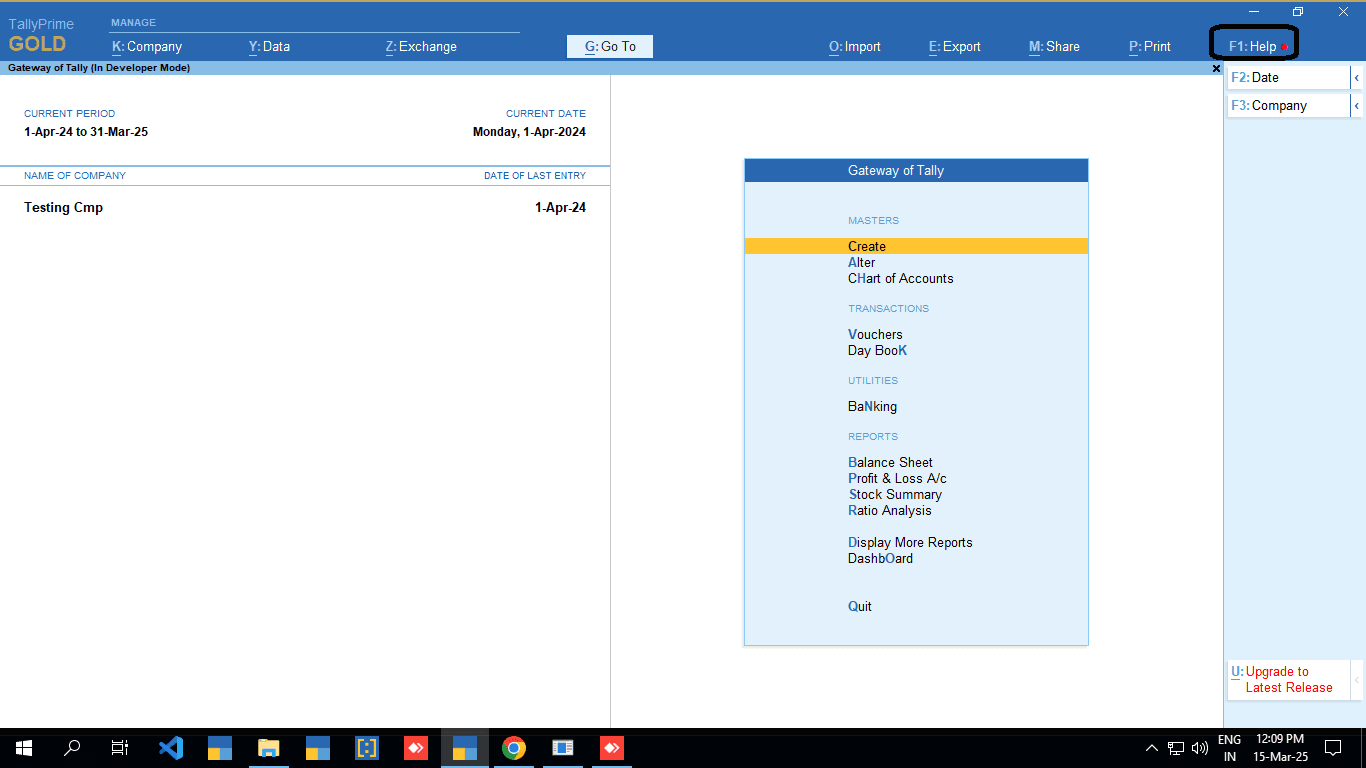
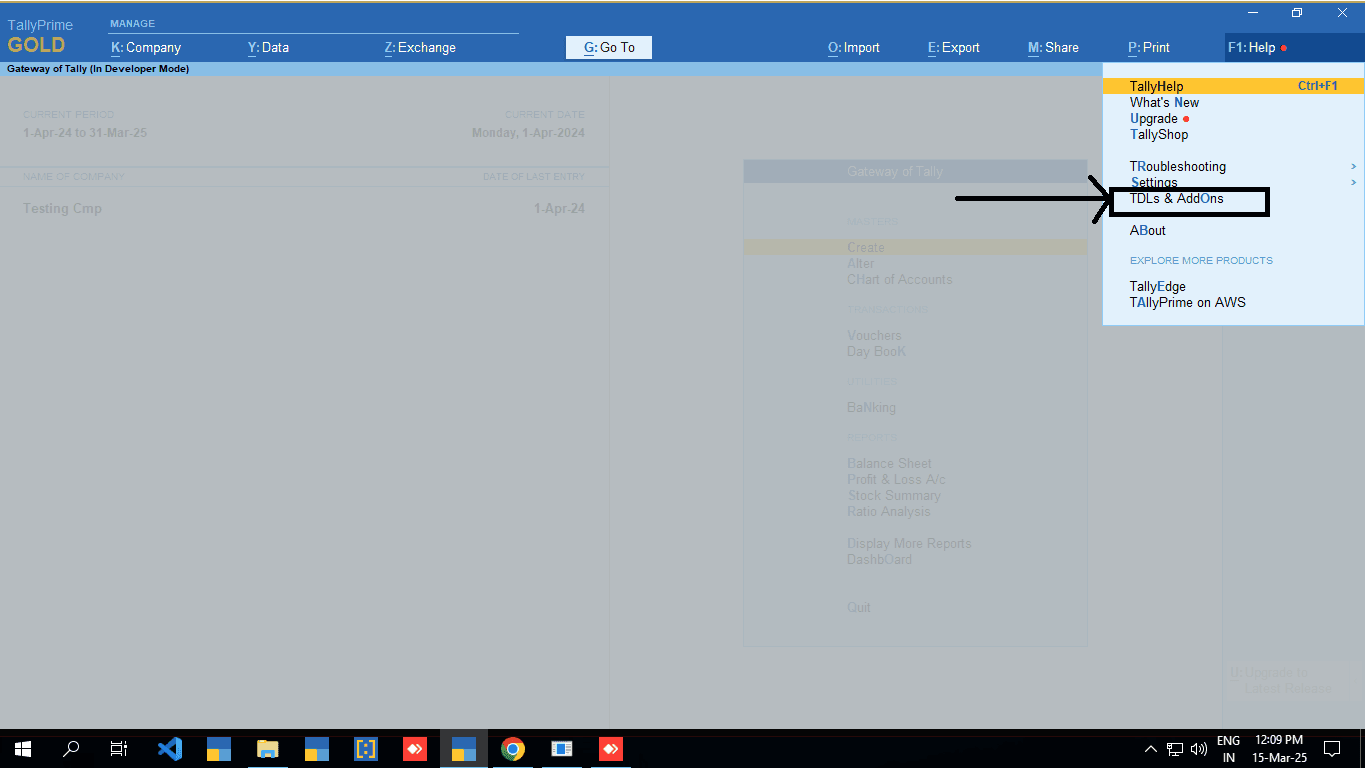
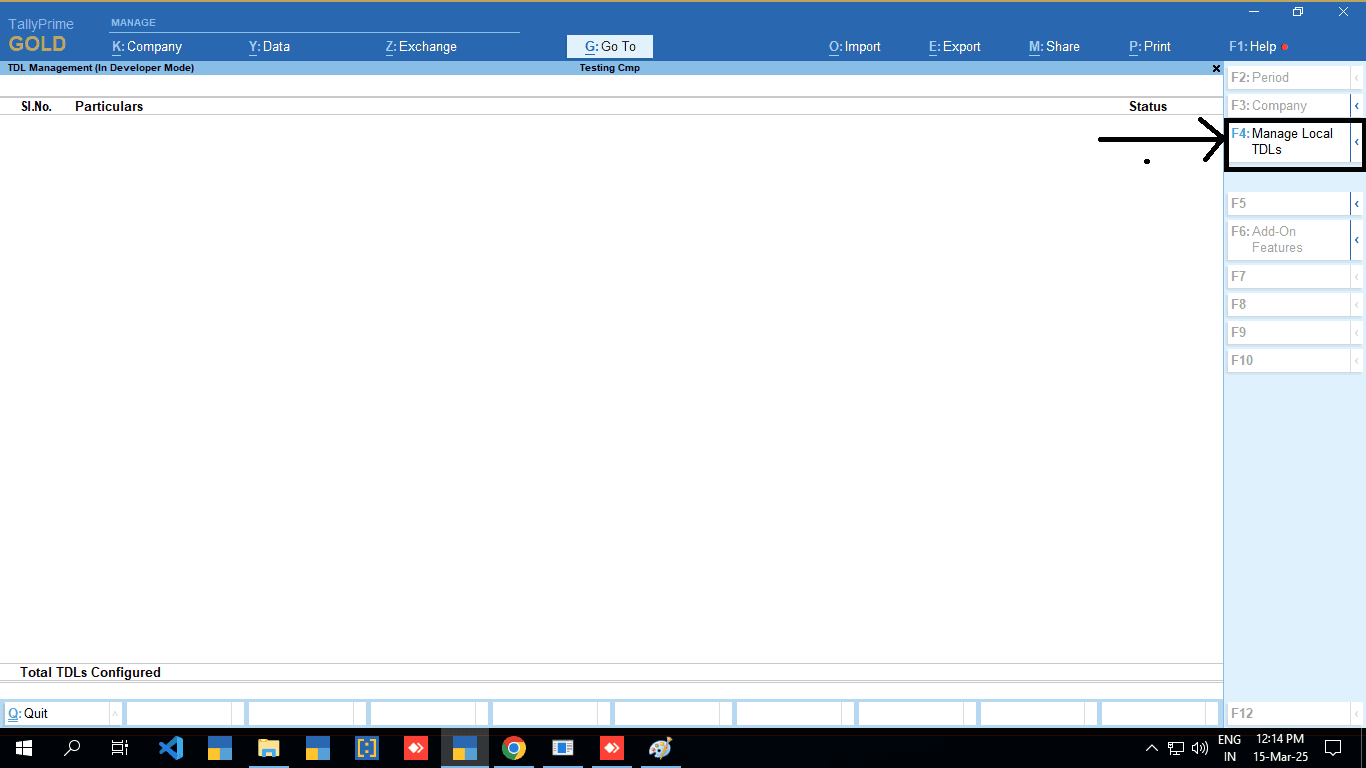
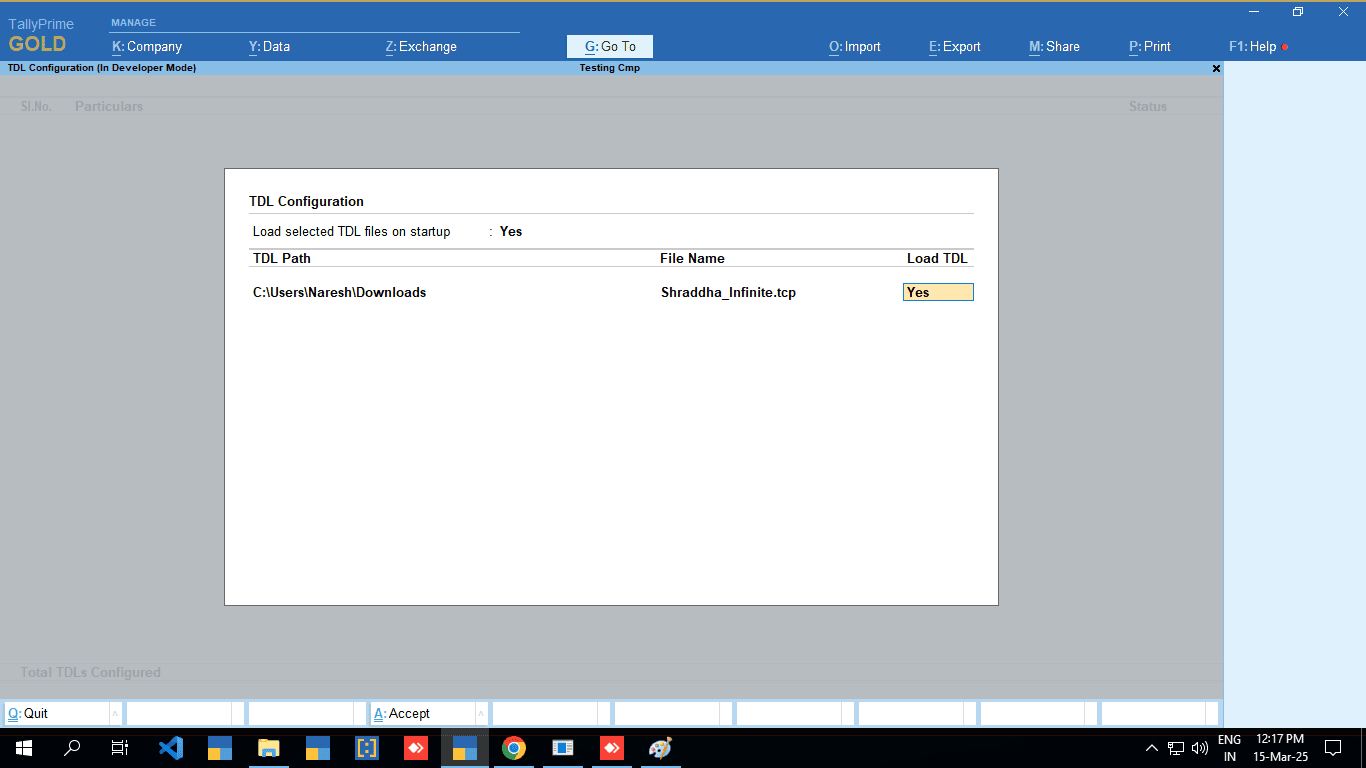
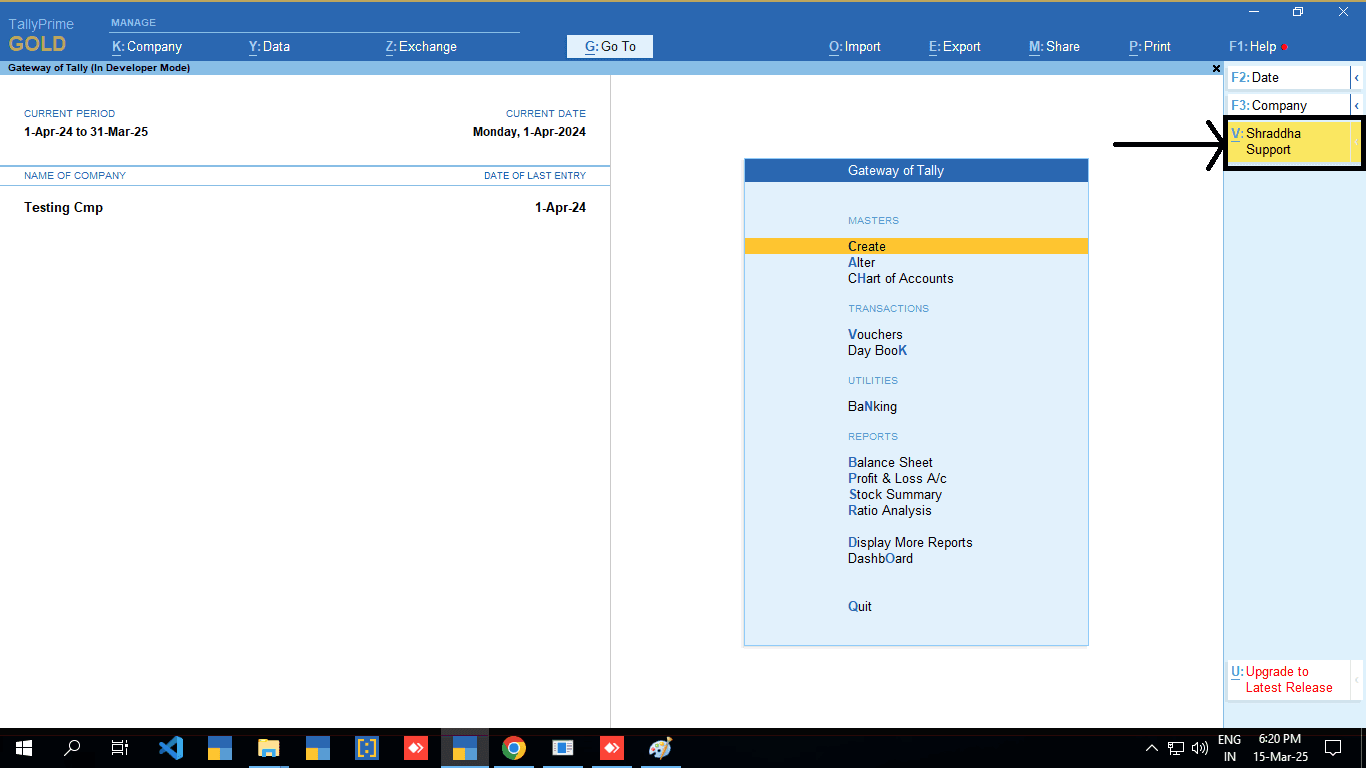
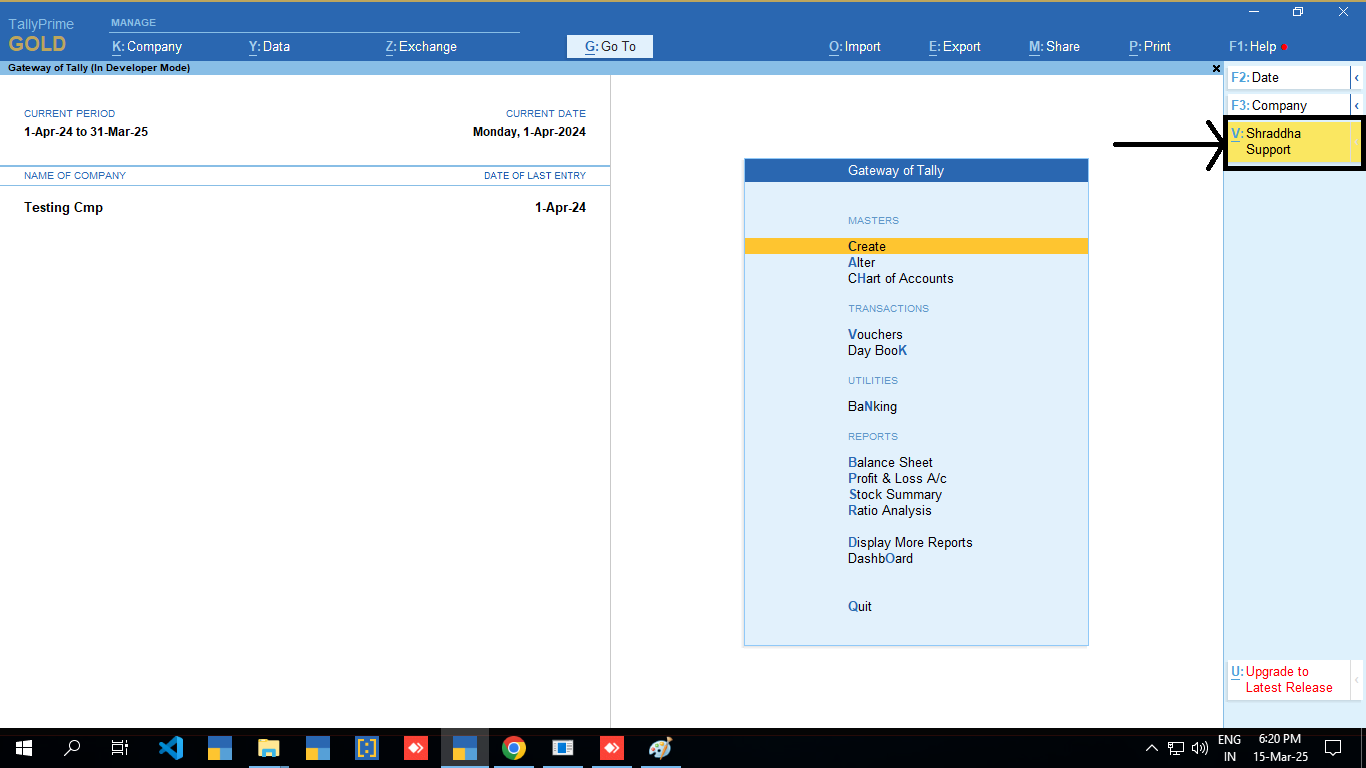
Step 5 of 5. Click “Shraddha Support”
Free Tally TCP download
Your problem goes straight to our team.
Using the TCP file is a simple way to get help. It sends your problem directly to our Tally support team, and your issue is automatically recorded as a support case.
- 1Press Shraddha Support inside Tally
- 2Your problem goes straight to our Tally team
- 3It is recorded as a support case, automatically
Free. No extra steps: getting Tally support is quick and easy.
Full Tally support
Full Tally support, one call away.
At Shraddha Infosystems, we offer complete support for Tally. Our team of experts is always ready to help you: clear advice, issues solved fast and a system that keeps running smoothly, so you can focus on growing your business.
Support line